Private AI Workspace
Chat with your own documents. Nobody else's hardware, nobody else's model.
Upload the documents your firm actually works from — contracts, filings, correspondence — and ask questions in plain language. The workspace runs on a server ordered for you specifically once you've paid; nothing speculative, nothing shared.
How it runs
Three things happen before you ever type a question.
You pay, then the server is ordered
We don't provision hardware speculatively. Your subscription orders a GPU server dedicated to your account, usually live within one business day.
You upload what you need it to know
Contracts, filings, correspondence — whatever your firm works from. It's kept to your workspace alone, never pooled into a shared index.
You ask, it answers from your documents
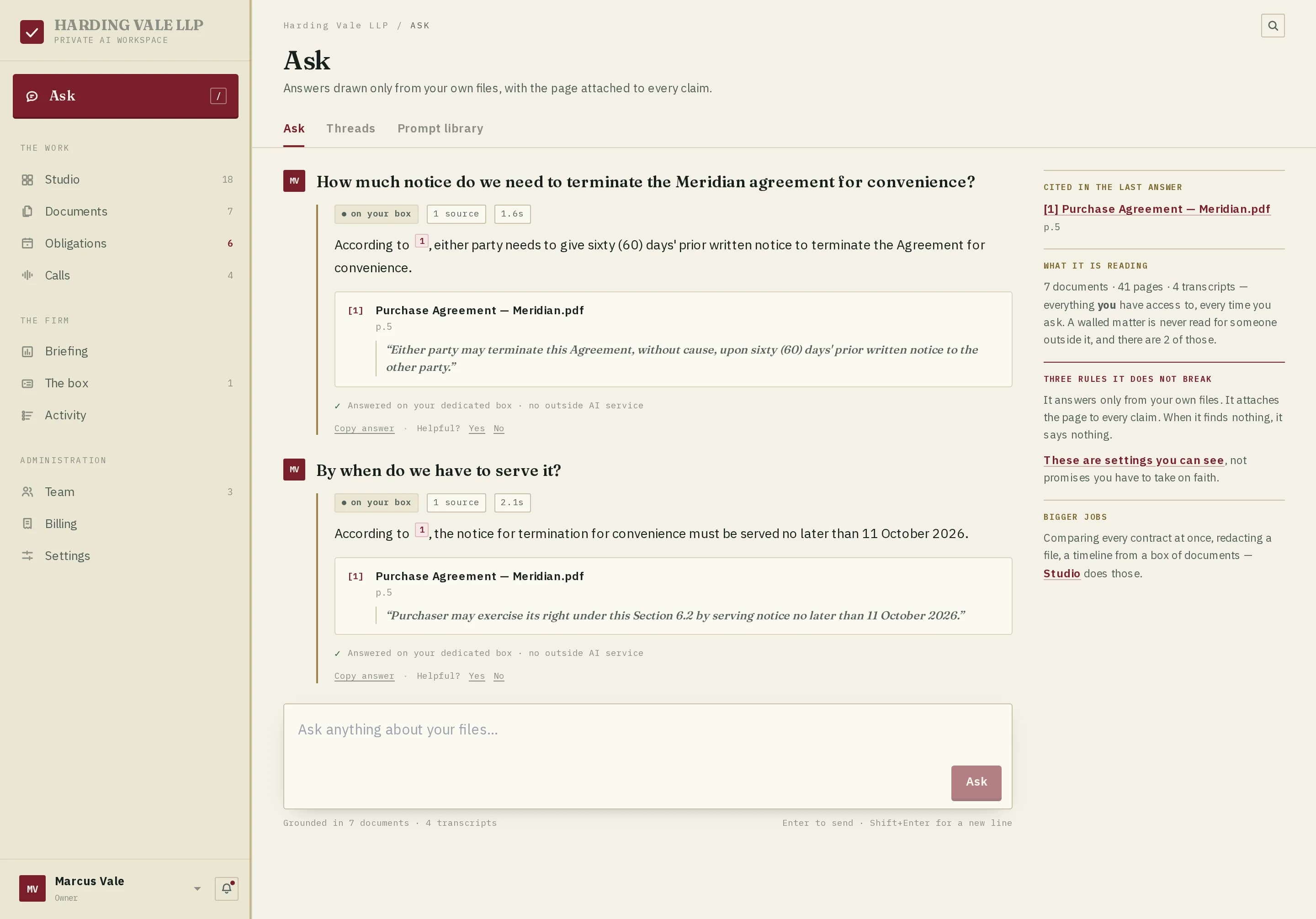
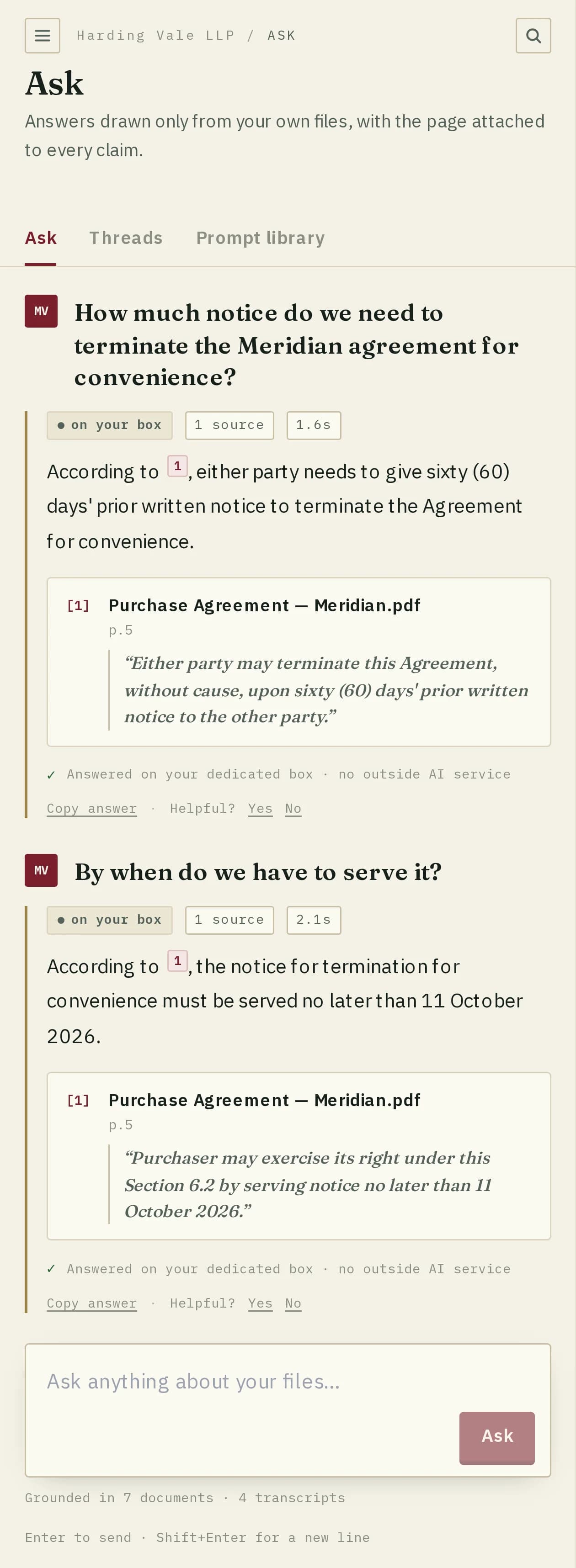
Every answer is grounded in what you uploaded, with a citation back to the source page — not a guess from general training data.
What it looks like
The Ask screen, as your firm sees it.
Included
Call and meeting transcription, included.
No add-on and no extra line on the bill — it's part of the $499. Upload a call or meeting recording (MP3, M4A, MP4, WAV and more, up to 3 hours) next to your documents. It's transcribed in English with timestamps, usually within a few minutes, and the transcript becomes something you can ask questions about and download, like any other document.
No cloud speech service
Where the audio goes
Recordings are transcribed on your Workspace's own server in the US, the same dedicated machine that runs the whole Workspace and its AI model. The audio never goes to a third-party speech API or to anyone else's hardware, and it's deleted as soon as it's transcribed. Lines are timestamped, not labelled by speaker.
Workspace pricing
One plan. No seats to count.
- Dedicated GPU server, yours alone
- Unlimited documents, unlimited questions
- Never used to train any model
- Cancel any time — no annual lock-in
- Chronologies, drafts and clause checks
- Practice-management hookups, API access
- Video evidence, transcribed and searchable
- Your GPU server in the country you choose
- Comparable builds run $8k–35k elsewhere
- Same dedicated backend either way
What we can build for your firm
- Medical-records chronology — for PI and med-mal: a dated timeline of treatment, each entry citing the page it came from.
- Practice-management hookup — send matter documents from the software you already use. We check your system first.
- Your clause checklist — flag the terms your firm always looks for in leases, NDAs or settlements, in your own wording.
- Drafts in your firm's voice — demand letters, engagement letters and motions, started from your own past work and templates.
- Large productions — read and search discovery sets past the 300-page limit, keeping each page's Bates number.
- Video evidence — bodycam, dashcam, surveillance or deposition video turned into a timestamped transcript you can search and ask questions of, next to the case file.
Something else? Describe it and we'll say honestly whether it fits.
Questions
Workspace FAQ
$499/mo covers the whole workspace, not a seat count — add as many people from your firm as you need without a per-user bill climbing alongside it.
The dedicated server is ordered the moment payment clears and is usually live within one business day — we don’t provision ahead of payment, so there’s a short real provisioning step, not an instant toggle.
Yes, any time from the workspace’s Documents tab — removing a document also removes it from what the model can reference going forward.
Yes. You can upload call and meeting recordings (MP3, M4A, MP4, WAV, OGG, WebM or FLAC, up to 3 hours each) alongside your documents, at no extra cost. Each one is transcribed in English with timestamps on your Workspace’s own dedicated GPU server — never a third-party speech service — and the audio is deleted once it’s transcribed. The transcript stays in your workspace, where you can ask about it like any document, until you remove it. Lines aren’t labelled by speaker.
Private AI Workspace